 Profound Custom quote
 Peec AI $95/mo
 Otterly.AI EUR 29/mo
 Scrunch $250/mo
 AthenaHQ $295/mo
 Semrush AI Toolkit $99/mo
 Ahrefs Brand Radar $50/mo
 SE Ranking $129/mo
 Rankscale EUR 99/mo
 Promptwatch $95/mo
 Goodie $295/mo
 Evertune $60/mo
AI Visibility
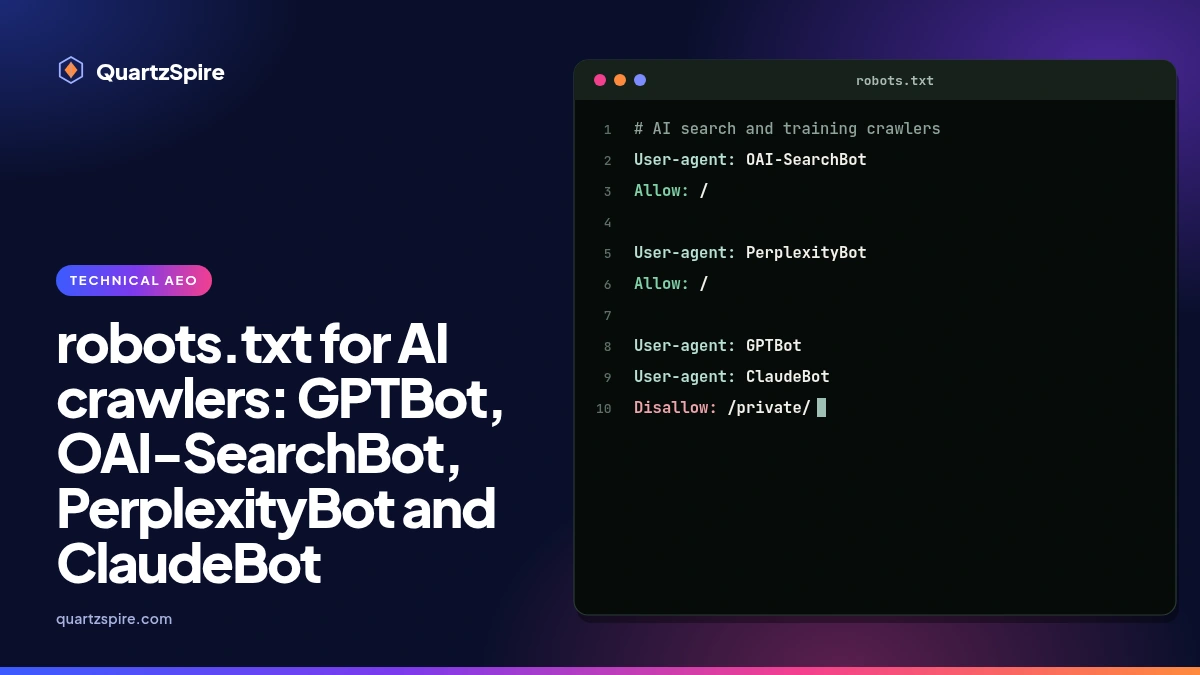
robots.txt for AI crawlers: GPTBot, OAI-SearchBot, PerplexityBot and ClaudeBot
How to allow or block GPTBot, OAI-SearchBot, ChatGPT-User, PerplexityBot, ClaudeBot, and Google-Extended. Google-Extended does not control Google Search.
On this page 9 sections
- The agents, and what their publishers say they are for
- A file that allows search fetches and refuses training crawlers
- Google-Extended is not how you leave AI Overviews
- What a disallow does not finish
- How to decide without a committee
- Three policies and the groups each one needs
- Seeing the fetches
- Log grep for AI agents
- Testing the groups before you deploy
- Pre-deploy robots.txt test
- Shopping and the rest of the work
- FAQ
robots.txt tells cooperating bots which paths they may fetch. For AI products, the useful version of that sentence is narrower: each named agent is a different fetcher, and disallowing one of them does not disallow the others. The file is a policy you publish. It is not a ranking lever, and it does not delete pages a model has already seen.
Write the policy before you paste the lines. What is AI visibility? will not improve because you blocked a bot. It might get harder to measure later fetches. Know which outcome you want.
The agents, and what their publishers say they are for
These names come from the vendors’ own crawler documentation. The list changes. Recheck the vendor page before you ship a disallow you cannot explain.
| Token | Who publishes it | What it is for, in their docs | What it is not |
|---|---|---|---|
| GPTBot | OpenAI | A crawler used to collect pages that may be used to train models | Not the same token as search, and not a user browsing |
| OAI-SearchBot | OpenAI | A crawler used to include pages in ChatGPT search | Not GPTBot. Allowing search and refusing training means different groups |
| ChatGPT-User | OpenAI | Fetches a page when a person uses ChatGPT in a way that browses | Not a background crawl of the whole site |
| PerplexityBot | Perplexity | Perplexity’s crawler for its index | Not Perplexity-User, which is the on-demand fetcher. Check their current list |
| ClaudeBot | Anthropic | Anthropic’s crawler | Not a guarantee about Claude answers. Anthropic also documents other tokens. Read their page |
| Google-Extended | A token for controlling use of your content to improve Gemini apps and Vertex AI generative APIs | Not Googlebot. Google says it does not affect Search inclusion or ranking |
If a doc names an extra token, such as a user-triggered agent beside the crawler, decide on that token separately. Do not assume Disallow: / under GPTBot covers ChatGPT-User. It does not. The user-agent string must match the group.
A file that allows search fetches and refuses training crawlers
This is one policy, not the only sane policy. It allows OpenAI’s search crawler and the user-triggered fetcher, allows PerplexityBot, and disallows GPTBot, ClaudeBot, and Google-Extended. Replace it if your decision is different. Put the decision in the ticket.
User-agent: GPTBot
Disallow: /

User-agent: OAI-SearchBot
Allow: /

User-agent: ChatGPT-User
Allow: /

User-agent: PerplexityBot
Allow: /

User-agent: ClaudeBot
Disallow: /

User-agent: Google-Extended
Disallow: /

User-agent: *
Allow: /
Order and grouping follow the usual robots convention: a group starts at User-agent and applies until the next User-agent. Allow and Disallow apply to that group. A star group is the default for agents you did not name. If your star group is Disallow: /, you have taken the site offline for every polite bot you forgot, including ordinary search crawlers if they fall through. Read the star group twice.
Do not add Crawl-delay unless you have a specific bot that documents support for it. Many large crawlers ignore it. A comment line that starts with # is for you. Bots do not treat your comment as policy. Keep the commentary in the ticket so the file stays short.
Paths matter. Disallow: /private/ refuses that prefix for that agent. Disallow: / refuses the whole host. Allow: / after a disallow in the same group is easy to get backwards. Test with a robots tester or by reading the groups aloud. “GPTBot may fetch nothing. OAI-SearchBot may fetch everything we did not disallow.” If you cannot say the sentence, the file is not ready.
Google-Extended is not how you leave AI Overviews
Google’s documentation says Google-Extended does not change whether you are in Google Search or how you rank there. AI Overviews are part of Search. Disallowing Google-Extended to “turn off overviews” or “turn them on” is a misunderstanding. How to appear in Google AI Overviews does not tell you to touch this token. Leave Googlebot alone unless you have a separate, ordinary SEO reason.
If you disallow Google-Extended, say why in the ticket: you do not want the content used to improve those Gemini and Vertex products. That is a policy about training and product improvement, as Google describes the token. It is not a visibility tactic.
What a disallow does not finish
A disallow is a request about future fetches by a bot that respects the file. It does not erase a copy already in a dataset. It does not remove a citation that came from a third-party page. It does not stop a person from pasting your paragraph into a chat. It does not stop a browser user agent that ignores robots.txt. Treat it as a fence with a sign, not as a lock.
If you need a page to stay off the public web, do not rely on robots.txt. Use authentication. robots.txt is public. Listing a secret path in Disallow advertises the path. That mistake is older than these bots and still happens.
Citations can continue after a disallow because the answer is using a page it fetched earlier, or a page on another domain that quotes you. How to get cited in ChatGPT still applies: the source you see in the answer is the thing to read. The robots file explains only whether you are willing to be fetched again by that agent.
How to decide without a committee
Three policies and the groups each one needs
| Policy | GPTBot | OAI-SearchBot | PerplexityBot | ClaudeBot | Google-Extended |
|---|---|---|---|---|---|
| Open: search and training allowed | Allow | Allow | Allow | Allow | Allow |
| Search yes, training no | Disallow | Allow | Allow | Disallow | Disallow |
| Closed to AI agents | Disallow | Disallow | Disallow | Disallow | Disallow |
Googlebot is not in this table. Blocking it removes you from Google Search, including AI Overviews.
Write one paragraph: which agents may train, which may build a search index, which may fetch on a user’s click, and which you refuse. Then translate the paragraph into groups. If the paragraph is “we want to be cited in search-backed answers and we do not want training crawls,” the example above is close, and you still have to confirm each vendor’s current token. If the paragraph is “fetch nothing for any AI product,” disallow the named agents and accept that you may be absent from future retrieval by those products. Absence is the point of that choice. Do not call it an accident later.
llms.txt explained is the opposite kind of file: a map of pages you hope will be read. Publishing a map while disallowing the fetcher that would read it is incoherent. Decide robots first, then decide whether a map is honest.
Log the change. Date, author of the change, and the paragraph of intent. The next person will otherwise “clean up” the file and merge GPTBot with OAI-SearchBot because the names look related. They are not interchangeable. The table at the top of this page is the thing to paste into the ticket.
Seeing the fetches
Log grep for AI agents
grep -Eo "GPTBot|OAI-SearchBot|ChatGPT-User|PerplexityBot|ClaudeBot" access.log | sort | uniq -c | sort -rnRun it on a log window before and after deploy. User-agent strings can be spoofed, so verify important agents against the vendor’s published IP ranges where available.
GA4 will not show GPTBot as a session if the bot does not run your analytics tag. Look at edge logs or origin logs and group by user agent. A week of logs after the change should show the disallowed agent stopping, if it was coming and if it respects the file. If it never came, you have disallowed a visitor you did not have. That can still be the right policy. It is not evidence that citations will change.
Logs show whether a crawler stopped. To see whether answers still cite your pages after the change, use AI citation tracking tools to confirm the effect over the following weeks.
How to measure ChatGPT traffic in GA4 measures browsers that arrive with a referrer, which is a person clicking through, not a crawler. Do not use that report to audit robots.txt. You will conclude the bots vanished because the report never saw them.
Testing the groups before you deploy
Pre-deploy robots.txt test
- Each
User-agentline is followed by its own Allow or Disallow lines - The
User-agent: *group does not sayDisallow: / - Googlebot and Bingbot are not blocked by accident
- Token spelling matches the vendor docs exactly (OAI-SearchBot, not OAISearchBot)
- The file returns HTTP 200 at /robots.txt with
text/plain - Server logs show the expected agents after 48 hours
Copy the file to a scratch host or use a tester that evaluates a specific user agent and path. Check at least one allowed path and one disallowed path for each named agent. For the example policy, GPTBot on / should be disallowed, OAI-SearchBot on /guides/ should be allowed, and ChatGPT-User on a normal article should be allowed. If your tester only understands the star group, it is the wrong tester for this file. You need per-agent results.
Check the file is served at /robots.txt on the host people use, the apex, not only on a staging hostname you will forget. Confirm the response is 200 and the body is the text you deployed, not an HTML app shell. A single-page app that returns index.html for every path will publish a robots file that is actually a web page. Bots that strictly parse robots.txt will ignore it or misread it. Serve the text file as text.
If you sit behind a CDN, purge the robots URL after the change. A cached allow is an allow until the cache expires. Write the purge into the same ticket as the edit. Then watch logs for a day. You are looking for the disallowed user agent to stop requesting HTML. You are not looking for GA4.
Document exceptions. A disallow of / with an allow of /llms.txt is a coherent exception if you refused the crawl but still want the map fetched. It is also easy to get the allow and disallow order wrong. Robots rules are not “last match wins” in every parser the way people assume. Prefer the simplest groups. If you need a maze of allows, you probably want the content behind a login instead.
Re-read vendor docs on a schedule, not only when a blog says a new bot launched. OpenAI, Perplexity, Anthropic, and Google have all added or renamed tokens. A file from last year that only mentions GPTBot is incomplete relative to this page’s table. Put a reminder next to the ticket. The reminder is not a fear. It is how ChatGPT-User does not stay accidentally disallowed because nobody noticed the new group.
When two people disagree, the paragraph of intent wins, then you edit the file to match the paragraph. Do not edit the file in the meeting and invent the intent afterward. Future readers of git history should see the paragraph and the groups in one change. If your robots.txt is generated, the source of the groups should be a config a human can read, not a string concatenated in a deploy script with no comment. The comment in code can restate the table. The public file can stay free of essays.
Shopping and the rest of the work
No tool is required to publish robots.txt. If a product offers to manage the file, the acceptance test is that you can read the groups it will write and that they match the ticket. Best AI visibility tools and enterprise AI visibility platforms are not robots editors. Do not buy them for this file. The software ROI calculator will make a yearly cost look large next to a ten-line text file. That is the correct comparison.
The pages that change whether you are cited are still the ones that answer questions. What is AEO? and schema markup for AI search sit beside this file. They do not belong inside it. Ship the robots change, watch the logs, and go back to the prompt list. AI visibility prompts is the list. A crawler policy is not a prompt.
If legal asks for a default of deny, translate deny into named groups rather than a star rule that also blocks search indexing. A deny-all star rule will take the site out of ordinary search as well, which is a much larger decision than “no training crawls.” Say that consequence in the same paragraph. People agree to a phrase and do not agree to the consequence. The table is how you show the consequence: Googlebot is not on the AI list, and a star disallow hits Googlebot anyway. Name Googlebot in an allow group if you intend to stay in Search while refusing GPTBot. Test that combination. Do not assume the more specific user-agent always beats the star in every implementation you care about. Test.
Keep a copy of the live file in the repo so review happens in pull requests. A file edited only in a hosting panel will not show up next to the ticket. The next incident will be someone pasting a “recommended AI robots.txt” from a blog over your groups. The blog will not know that you allowed OAI-SearchBot on purpose. Your repo will. That is the operational content of this guide: named tokens, a written intent, a test, and a file you can diff.
Paste the text into the character counter to check its length before you publish it.
FAQ
If we block GPTBot, can ChatGPT still cite us?
It can cite pages it already knows, and ChatGPT-User may still fetch a page when a person asks, if you have not disallowed ChatGPT-User. Blocking GPTBot refuses the training crawler. It is not a switch for answers.
Does Disallow remove us from an index overnight?
No. A disallow stops a polite bot from fetching later. Copies already stored can remain until that product drops them on its own schedule. robots.txt is not a deletion API.
Should we disallow everything we do not recognize?
Only if you mean to. Unknown agents are not automatically malicious, and a blanket disallow can include a fetcher you wanted. Name the agents you have decided, and leave a comment in the ticket, not a guess in the file.
Is Google-Extended required for AI Overviews?
No. Google says Google-Extended does not control inclusion or ranking in Google Search. AI Overviews are a Search feature. Do not disallow Google-Extended to try to change overview citations.
Where do we see if a bot actually came?
In server or CDN logs, by user agent, not in GA4. GA4 sees browsers. A crawler that never executes your tag will not appear as a session.
See a factual problem? Write to hello@quartzspire.com with this page URL.